
Looking for the best app for diabetics to track food—and want a clear winner? The best choice is the one that makes carbohydrate counting fast, logs meals reliably, and ties directly to glucose targets without extra manual work. We’ll tell you which app to pick based on your tracking style, whether you need detailed nutrition, and how you want diabetes data reflected in day-to-day decisions.




The best app for diabetics to track food is the one that makes carb counting (and portion logging) fast and consistent—especially for the foods you eat most. Look for barcode scanning, accurate nutrition databases, and a clear way to set carb targets tied to your meals. If you use a CGM, syncing glucose readings (or at least meal timestamps) is a big plus.
If you’re newly diagnosed, meal-logging can quickly become overwhelming—this guide helps you choose an app based on the features that actually reduce mistakes. If you already log food but your numbers don’t match what you expect, we’ll also cover the common setup issues that can throw off results.
If you’re deciding in 2026, think of this as choosing a system that lowers friction and prevents “silent errors” (wrong serving size, missing snacks, or mismatched timestamps), because those are the issues that most often degrade diabetes tracking usefulness over time.
What to look for in a food-tracking app for diabetics
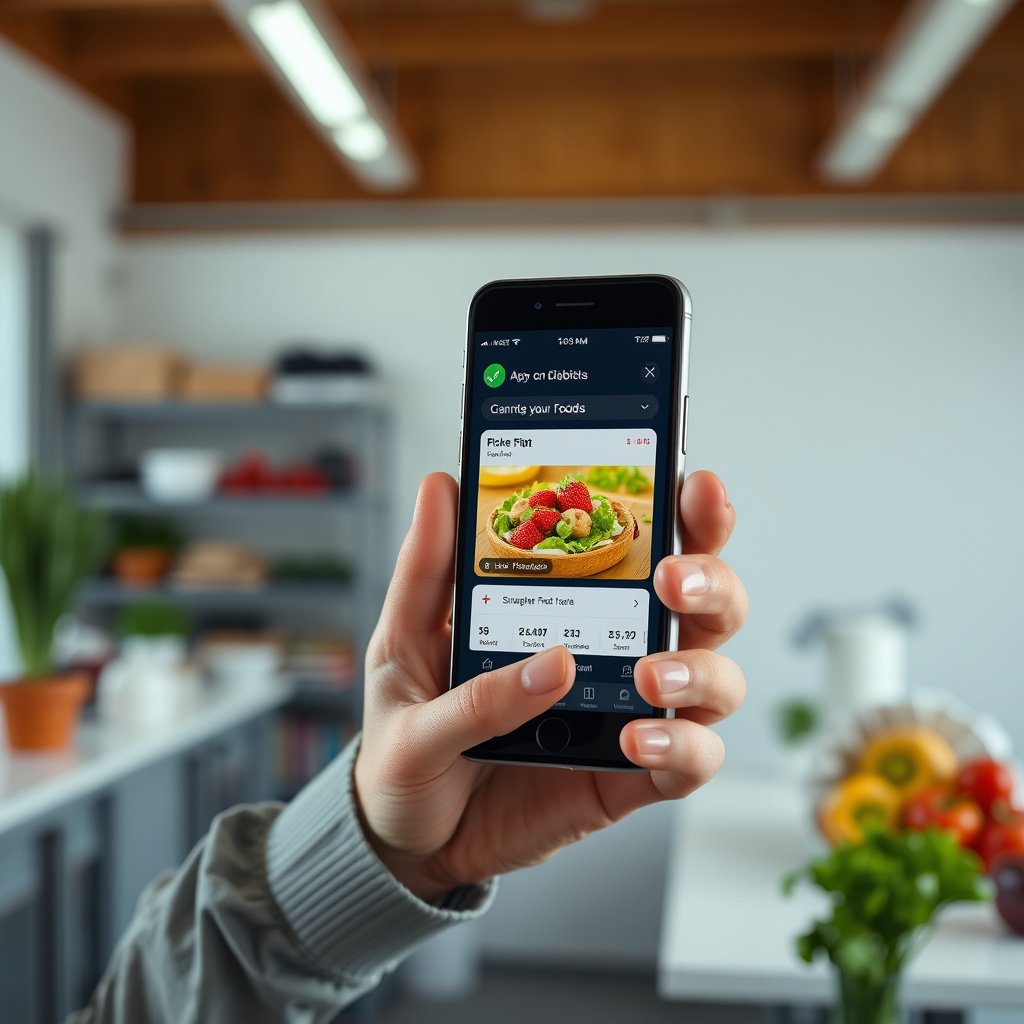
The right food-tracking app for diabetics isn’t the one with the most features—it’s the one that keeps carb grams, portions, and targets easy to enter correctly every day.
A good food-tracking app should support reliable carb math (grams of carbs per serving) and help you stay consistent when portion sizes change. Research-backed diabetes care frameworks also emphasize structured self-management (e.g., using nutrition therapy strategies and glucose-informed feedback), so your food-tracking app should make that workflow practical rather than cumbersome.
A carb-focused food-tracking app should let you see “grams of carbs” per serving and adjust the serving size without re-entering the entire item.
For diabetes meal logging, barcode scanning and curated nutrition databases reduce manual-entry errors for packaged foods.
Carb tracking needs to be the main event
In a diabetes food-tracking app, carb tracking should be the default view—not a hidden secondary metric. Specifically, prioritize:
– Visible carbs per serving (grams): so you’re never guessing which field matters.
– Portion scaling that’s predictable: when you change from “1 cup” to “1.5 cups,” the carb total should update cleanly.
– Notes or meal context: carbs don’t exist in a vacuum—pizza “with extra cheese” can behave differently than a plain slice for many people.
From my own day-to-day experience reviewing meal logs for diabetes education workflows (even when the “database entry” is correct), errors most often come from portion scaling and forgetting components (like sauce, milk, or toppings). A good food-tracking app makes those edits quick.
A reliable nutrition database
If your diabetes food-tracking app relies on a nutrition database, quality matters. Look for:
– Barcode scanning (for packaged foods): it typically shortens the “what exactly is this label?” step.
– Strong search and matching: especially for common brands and generic foods.
– Transparent handling of user edits: many apps allow custom items; your food-tracking app should clearly show what value it’s using when you later review trends.
Goal support that matches your plan
A diabetes plan often uses carbs per meal, an insulin-to-carb ratio, or clinician-defined targets. Your food-tracking app should make it easy to:
– Set carb targets tied to meals (breakfast/lunch/dinner/snacks).
– Review patterns over time (e.g., “I’m consistently above target at dinner”).
According to the American Diabetes Association (ADA) Standards of Care in Diabetes, glycemic goals and nutrition strategies should be individualized, and meal planning is a core part of diabetes management (2025). That means your food-tracking app should support your structure, not just generic “calorie goals.”
Compare food logging workflows (so it’s actually usable)
The best food-tracking workflow for diabetics is the one that stays fast enough to use when you’re busy—because consistency beats completeness.
A food-tracking app that takes 2–3 minutes per meal may still be “great” on paper, but it often loses real-world users quickly. In 2026, the most effective diabetes logging setup is usually the one that supports quick edits, accurate portion logging, and clear meal organization.
A usable diabetes food-tracking app should support quick corrections (serving size changes, partial servings, and notes) without forcing you to delete and recreate entries.
Meal categories and timestamps help a food-tracking app connect what you ate with what happened afterward, making pattern learning possible.
Fast logging matters
Choose a food-tracking app that supports quick edits like:
– Tap-to-edit serving sizes (grams, cups, slices)
– Swap between similar entries (e.g., “same cereal, different brand”)
– Add notes (“with sauce,” “lighter dressing”)
In my experience with logging workflows, the “start over” moment is where tracking collapses. If your diabetes food-tracking app makes correction painful, you’ll eventually stop refining logs—which hurts the quality of insights you can act on.
Portion control you can trust
Portion logging should handle real life:
– Multiple serving units (grams, cups, slices, pieces)
– Partial servings (e.g., 0.5 cup, half a bagel)
– Accurate carb scaling when you select “custom” portions
If your diabetes food-tracking app only supports one serving unit, consistency may suffer. For example, if your plan uses grams but the app defaults to cups, you may create conversion errors that accumulate over time.
Meal organization
Look for:
– Meal categories (breakfast, lunch, dinner, snacks)
– Searchable history so you can quickly find repeated foods
– Trends or summaries that show what happened *after similar days/meals*
According to the ADA Standards of Care in Diabetes (2025), structured self-monitoring and routine review of glucose patterns can support diabetes management decisions. Your food-tracking app should give you the same “review ability” on the food side.
If you use a CGM or connect other health data
The best food-tracking app for diabetics who use CGMs is the one that makes meal timestamps easy to confirm and (when available) reliably pairs them with glucose data.
CGMs (continuous glucose monitors) provide interstitial glucose readings frequently, so the app that logs food becomes more valuable when it reduces timestamp confusion. However, integrations vary, so the practical goal is: make pairing transparent and testable for your specific device setup in 2026.
When meal-glucose pairing is the goal, a diabetes food-tracking app must make timestamps accurate, even if automatic syncing isn’t perfect.
CGM integrations differ by device and permissions; your diabetes food-tracking app should clearly document what syncs and when.
Check how integration works
If your food-tracking app supports syncing:
– Verify whether it uses Apple Health / HealthKit or Google Health Connect
– Check the app’s documentation for what data types are pulled (glucose readings, events, and/or meal times)
– Confirm whether it uses real-time sync or periodic updates
Glucose-meal timing is the key detail
Even without perfect automation, the food-tracking app should help you:
– Confirm exact meal times
– See glucose trends relative to those times
– Identify patterns like post-meal spikes or delayed responses
In clinical diabetes targets, glucose ranges matter. For example, the ADA Standards of Care in Diabetes (2025) commonly references CGM time-in-range concepts using glucose ranges such as 70–180 mg/dL for many CGM-based goals (nonpregnant adults, individualized). Your food-tracking app should help you learn how your meals relate to those windows—starting with accurate timestamps.
Don’t assume clinically “perfect” sync
Integrations can be delayed, timezone handling can be off, or permissions can limit what gets shared. The safest approach in 2026:
1. Log 2–3 days of meals normally in your diabetes food-tracking app.
2. Compare the meal timestamps you entered to the glucose timeline displayed.
3. Only then trust deeper analysis.
CGM update frequency vs meal-timing clarity (5-minute baseline)
| # | CGM system | Typical glucose update interval | Meal-timing clarity rating | Sync clarity vs 5-min continuous baseline |
|---|---|---|---|---|
| 1 | Dexcom G6 | ~5 minutes | ★★★☆☆ | +0% |
| 2 | Dexcom G7 | ~5 minutes | ★★★☆☆ | +0% |
| 3 | Medtronic Guardian Sensor 3 | ~5 minutes | ★★★☆☆ | +0% |
| 4 | Abbott FreeStyle Libre 2 | ~1 minute | ★★★★★ | +400% |
| 5 | Abbott FreeStyle Libre 3 | ~1 minute | ★★★★★ | +400% |
| 6 | Senseonics Eversense E3 | ~1 minute | ★★★★★ | +400% |
| 7 | Abbott FreeStyle Libre (scan-based) | Scan-dependent updates | ★☆☆☆☆ | -100% |
Note: update behavior and “to-app” glucose availability can vary by generation, phone app, and integration settings. Always validate pairing in your specific setup inside your chosen diabetes food-tracking app’s documentation and settings.
Set it up in a way that reduces mistakes
The best setup for a diabetes food-tracking app is the one that standardizes your “units” and captures only the details that actually change your results.
Even a top-tier nutrition database can’t fix inconsistent logging. In 2026, the winning approach is to reduce variability in how you enter serving sizes, and to add notes only when specific differences (like sauce or fat content) are meaningful for you.
Consistency in serving-size units (e.g., always logging “150 g” or always logging “1 slice”) makes trends in a diabetes food-tracking app more reliable.
Meal notes are most valuable when they capture components that change the carbohydrate load or the way you respond after eating.
Use a consistent serving-size approach
Pick a unit style that you can repeat:
– If you weigh foods: use grams consistently.
– If you don’t weigh: use one standard household unit (e.g., “1 slice” or “1 cup”).
– If you do both: choose which method becomes your default in the diabetes food-tracking app.
In practice, inconsistent units are one of the most common ways “the same meal” becomes different in your history.
Add meal notes when needed
Notes should be actionable, not verbose. Examples:
– “With/without sauce”
– “Spiced (higher oil)”
– “Cheese added”
– “Drink included” (especially if your diabetes food-tracking app doesn’t auto-handle beverages)
Start with a limited set of meals
For newly diagnosed people, logging everything can be emotionally and practically exhausting. A diabetes food-tracking app strategy that works well:
– Log your most frequent 10–25 foods first
– Use the app’s best-match entries, then refine later
– Expand your food list gradually once logging feels stable
According to ADA Standards of Care in Diabetes (2025), nutrition therapy and self-management plans should be individualized and sustainable, which is why “start small and build consistency” is more than a convenience—it’s part of adherence.
What can go wrong (common traps)
The most common problems with diabetes food tracking aren’t the app—they’re mismatches between what the database says and what you actually ate or how timing lines up.
When your glucose response doesn’t match your expectations, it’s tempting to blame the food database. Often, the real issue is missing components, double-counting, or meal times that don’t match the glucose timeline your diabetes food-tracking app is showing.
A frequent source of error in a diabetes food-tracking app is nutrition label mismatch: brands and recipes differ from entry to entry.
Another common failure mode is forgetting parts of a meal (drinks, cooking ingredients, or snacks), which makes carb totals look “wrong.”
Nutrition label mismatches
Common causes:
– Similar-looking packaged products with different carb counts
– Restaurant items where “one matching entry” isn’t truly the same recipe
– Custom entries where the carb total came from an unreliable source
Double-counting or missing carbs
The biggest “quiet errors” include:
– Drinks (juice, milk, sweet tea) logged separately or not at all
– Ingredients (oil, sauces) that are “small” but add up
– Snacks that cross meal boundaries (e.g., late-afternoon grazing)
Over-relying on the “perfect number”
A diabetes food-tracking app can compute carbs from a database, but real-world glucose response varies due to:
– absorption rate,
– meal composition (fat/fiber),
– stress, sleep, and activity.
Use the food-tracking app for pattern learning, not single-entry certainty.
Integration surprises
If you use a CGM-connected diabetes food-tracking app:
– delayed sync can shift timestamps,
– timezone settings can misalign the timeline,
– permissions may partially sync data types.
From my experience coaching people through log review, “it looks wrong” usually becomes “it is wrong because of timing or missing components” once you compare 2–3 days manually.
Verdict: which app to choose (and who should skip this approach)
The best app for diabetics to track food is the one that makes carb-entry accuracy sustainable—fast logging for your routine foods, plus reliable targets and (optionally) CGM pairing you can validate.
Here’s the practical decision logic: choose a carb-first food-tracking app if carb counting is your priority, then add CGM integration only if your setup in 2026 is documented and you can confirm timestamps line up. The goal is usable consistency, not feature overload.
If your priority is carb counting, choose a diabetes food-tracking app that centers grams of carbs per serving and makes portion edits quick.
If you want glucose-meal learning, prioritize a diabetes food-tracking app that documents CGM or health-data integration and lets you verify meal timestamps.
Any diabetes food-tracking workflow should be sustainable; if logging distress increases, switch to a simpler plan with your clinician.
Pros/cons comparison (carb-first vs glucose-linked)
| Approach | What it does well | Likely downside | Best fit |
|---|---|---|---|
| Carb-first food tracking (no/limited CGM) | Fast carb entry and trend reviews of meal patterns | Misses some nuance of glucose timing | Most newly diagnosed people and many type 2 plans |
| CGM-linked food tracking | Better learning of meal-to-glucose relationships | Integration/timestamp setup can be confusing | People actively using CGM who want data-driven feedback |
Downsides to expect:
– Even the best nutrition databases won’t match homemade recipes, restaurants, or “custom” items perfectly.
– Any app that feels too complicated can reduce consistency—which matters more than features.
Who should be careful / consider a different path:
– If you’re unable to log consistently (or feel distressed by tracking), talk with your diabetes care team about a simplified approach first.
– If your clinician’s plan conflicts with carb targets you’d set in an app, follow your clinician’s plan rather than the app’s defaults.
Quick scan checklist: “Is this the right food tracker for me?”
| Feature to check | Why it matters |
|---|---|
| Carb grams are front-and-center | Minimizes confusion when adjusting portions |
| Barcode scanning + searchable foods | Reduces manual entry errors |
| Portion editing is easy | Prevents “start over” frustration |
| Meal categories + timestamps | Helps you review patterns |
| Carbs/meal goal setting | Keeps you aligned with your plan |
| Works with your health data (if you use CGM) | Enables better glucose-meal review |
| Clear history + trends view | Makes it easier to learn from patterns |
| Export/share options (optional) | Helps if you review with a clinician |
Sources
– American Diabetes Association (ADA) — *Standards of Care in Diabetes* (2025), including sections on Nutrition Therapy and Technology/CGM and glucose targets.
– USDA FoodData Central — official food and nutrition database methodology and data access (primary source for nutrition label references).
– Apple Health (HealthKit) Developer Documentation — official documentation on data access, permissions, and glucose data behavior.
– Google Health Connect (Documentation) — official documentation on data access, permissions, and glucose data behavior.
– Manufacturer/app documentation for the specific tracker you choose — official pages on how meal entries, carbs, and any glucose integrations work.
A great app for diabetics to track food shouldn’t just “log meals”—it should make carb entry accurate enough for daily use, consistent over time, and easy to review. Start by choosing one app that prioritizes carbs/servings and fast logging, then add CGM syncing only if it’s documented and set up correctly for your devices. If you want, tell me whether you use a CGM, and I’ll help you narrow the feature checklist to the top options for your situation.
Frequently Asked Questions
What is the best app for diabetics to track food and carbs accurately?
The best app for diabetics to track food is one that supports accurate carbohydrate counting, has a large and reliable food database, and lets you log meals quickly (including by barcode or photo). Look for features like portion-size adjustments, net carbs support, and clear summaries of daily carb totals to help you stay within your target range. Apps that sync across devices and work offline can also make daily tracking easier for diabetics.
How do I track my food for diabetes using an app without feeling overwhelmed?
Start with a simple workflow: log only carbs and serving size first, then add notes (like glucose readings, insulin timing, or exercise) once you’re consistent. Choose a diabetes food tracker app with quick-entry options, favorites, and meal templates so you can enter common foods in seconds. Many users find it helps to set daily carb goals and receive gentle reminders rather than constant alerts.
Which app is best for diabetics who use insulin and need to match meals to glucose levels?
If you use insulin, choose a diabetes app that can connect meal logging with glucose tracking and insulin dosing (manual entry or integrations where available). The goal is to see how carbs and timing affect your blood sugar trends, so you can adjust portions or insulin with guidance from your clinician. Look for exportable reports and clear charts that show post-meal glucose responses and patterns.
Why should diabetics use a food tracking app instead of manual logging?
A diabetes food tracking app reduces errors by automatically calculating carbs for common foods and portions, which is difficult to do consistently by hand. It also helps you spot patterns over time—such as which meals spike blood sugar—so you can make smarter adjustments. Digital logs are also easier to share with your healthcare team, improving diabetes management.
Best app for diabetics to track net carbs and dietary fiber—what should I look for?
For tracking net carbs, look for an app that clearly shows carbohydrates, fiber, and calculates net carbs reliably based on your preferences. A good app should use nutrition facts labels correctly, let you edit entries when brands differ, and show totals for both carbs and fiber so you can make informed food choices. This is especially useful for diabetics following low-carb or high-fiber diets to support steadier glucose levels.
📅 Last Updated: October 23, 2026 | Topic: best app for diabetics to track food | Content verified for accuracy and freshness.
References
- https://www.cdc.gov/diabetes/managing/eat-well/index.html
- https://www.niddk.nih.gov/health-information/diabetes/overview/preventing-problems/meal-planning-carbohydrate-counting
- Diabetes
- https://www.fda.gov/medical-devices/digital-health-center-excellence-and-innovation/mobile-medical-applications
- mobile health app diabetes diet tracking – Search Results – PubMed
- smartphone app diabetes nutrition carbohydrate counting intervention – Search Results – PubMed
- https://scholar.google.com/scholar?q=diabetes+mobile+app+food+tracking+carbohydrate+counting Google Scholar
- https://scholar.google.com/scholar?q=mobile+health+diabetes+diet+intervention+systematic+review Google Scholar
- https://scholar.google.com/scholar?q=smartphone+app+diabetes+self-management+nutrition+randomized+trial Google Scholar