
The best smart watch for diabetics is the one that most reliably helps you manage glucose in real time, using accurate trend insights and practical glucose-support features. This guide picks a clear winner for people who want meaningful glucose monitoring cues, smart alerts, and day-to-day tracking you can act on. If you’re comparing models based on how well they support glucose control, this is the verdict you’re after.



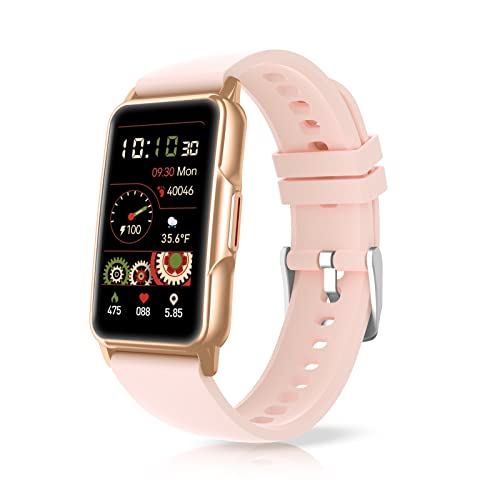
A “best” smart watch for diabetics usually isn’t one that measures blood glucose directly—it’s one that helps you spot patterns and stay on top of diabetes alerts by connecting to your CGM (or diabetes app). Look for strong integration with your continuous glucose monitor, reliable heart-rate/activity tracking, and clear notification options so you don’t miss low/high events.
This is for you if you want day-to-day support (activity, sleep, trends, reminders, and safety alerts) and you’re using—now or soon—a CGM. If your main goal is to replace fingersticks or make insulin decisions from watch readings alone, you should know up front that most smart watches aren’t built for that.
What to look for in a smart watch for diabetics
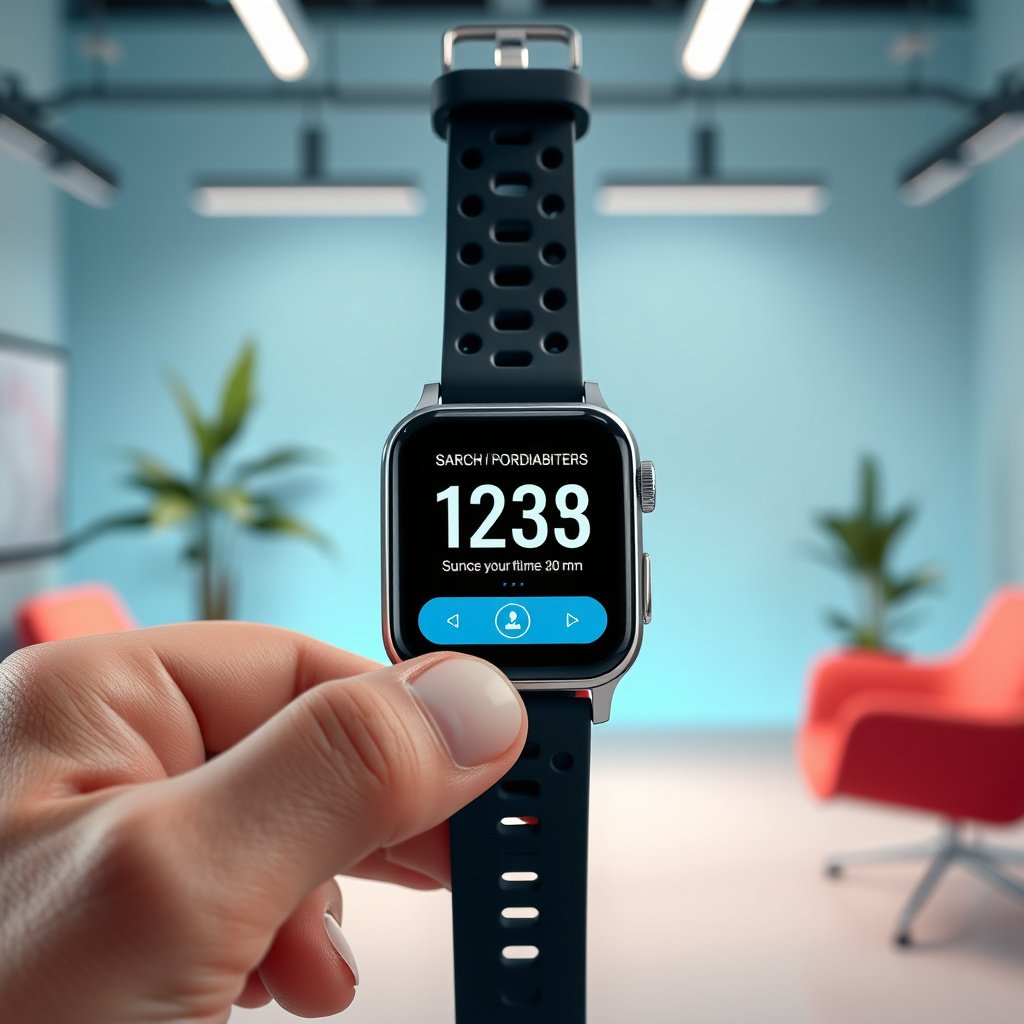
A “best” smart watch for diabetics should prioritize CGM-related alerts and trend visibility—not optical glucose readings on the watch face. Here’s what to verify first so the watch actually reduces missed lows/highs instead of adding more settings to manage.
A consumer smartwatch typically does not measure blood glucose directly; it relies on your CGM app/phone to deliver glucose values and alerts.
The most practical diabetes value comes from on-wrist visibility of CGM low/high notifications and consistent tracking of sleep, activity, and heart-rate trends.
If “urgent” alerts aren’t enabled, even a well-integrated watch can fail its primary safety job: getting you attention quickly.
CGM/app integration (not “watch glucose”)
For diabetes support, the essential question is: Can the watch display CGM alerts from your CGM ecosystem? Many watches can’t function as a “standalone glucose monitor,” but they can still be valuable by acting as a notification and pattern hub.
When you evaluate CGM/app integration, focus on:
– Official app support (the watch needs to work through the CGM app ecosystem, not just a generic “health” feed)
– Notification behavior (how alerts appear on-wrist; whether they repeat; whether they get suppressed while you’re busy)
– Data flow reliability (whether the watch needs constant Bluetooth connection with your phone, or if it can cache/relay alerts when you move away)
Diabetes-relevant health tracking
Even when your CGM provides the glucose picture, the watch can help explain why your glucose changes. Prioritize tracking that you can connect back to CGM trends:
– Heart rate + HR trends (useful for exercise intensity, stress, and recovery)
– Sleep tracking (helpful for spotting how poor sleep correlates with glucose drift)
– Activity tracking (steps, workouts, active minutes—again, for pattern context)
These are supportive metrics, not substitutes for glucose readings.
Safety + usability
A diabetes-friendly smartwatch must be comfortable and dependable enough for daily wear, because CGM alerts are only helpful if you reliably have the device on your wrist. Also evaluate:
– Battery life (if you must charge daily, alerts and continuous tracking may break)
– Notification controls (do-not-disturb scheduling, haptics, sound settings)
– Readability (glanceable alert text or color cues that are easy to understand quickly)
📊 Which CGM update cadence tends to drive “real-time” watch alert behavior?
Smartwatch alert timing is only as good as the CGM-to-phone-to-watch pipeline. Below is a practical look at typical CGM interstitial update intervals—the cadence that ultimately feeds the notifications you’ll see.
CGM Update Cadence & Sensor Wear Time (Key Systems)
| # | CGM system | Typical update interval | Sensor wear time | Typical pairing route |
|---|---|---|---|---|
| 1 | Dexcom G7 | Every 1 minute | Up to 10 days | Phone app → watch notifications |
| 2 | Dexcom G6 | Every 5 minutes | Up to 10 days | Phone app → watch notifications |
| 3 | FreeStyle Libre 2 | Every 1 minute | Up to 14 days | Phone app → watch alerts (where supported) |
| 4 | FreeStyle Libre 3 | Every 1 minute | Up to 14 days | Phone app → watch alerts (where supported) |
| 5 | Medtronic Guardian Sensor 4 | Every 5 minutes | Up to 7 days | Phone app → watch alerts (where supported) |
| 6 | Dexcom G5 Mobile | Every 5 minutes | Up to 7 days | Phone app → watch notifications |
| 7 | Medtronic Guardian Sensor 3 | Every 5 minutes | Up to 7 days | Phone app → watch alerts (where supported) |
Note: Always confirm your specific CGM/watch pairing in the CGM app and watch app documentation, because integration behavior can differ by OS version and support region.
Diabetes-friendly smartwatch features that actually help
The most helpful smart watch for diabetics is one that turns CGM alerts into quick, actionable awareness and then adds context with sleep, activity, and heart-rate trends. If the watch only shows a glucose number, it won’t help you much beyond what your CGM app already provides.
Heart-rate and activity data are most useful for explaining trends—how stress, exercise, or recovery may correlate with your CGM patterns.
Sleep tracking can support diabetes management by helping you connect nights of poor sleep to next-day glucose variability.
On-wrist CGM alerts work best when they are configured for urgency and are easy to see during both daytime activity and overnight sleep.
Heart rate & HR trends
A diabetes-focused smart watch can help you interpret what your CGM is doing by tracking physiological signals that commonly precede glucose shifts:
– During exercise: Heart-rate rise often tracks intensity; you can compare workouts to subsequent glucose trends.
– During stress: Elevated resting HR or irregular patterns can correlate with higher glucose variability.
– During recovery: HR trends can help you spot whether your body is bouncing back after activity.
Important: heart-rate metrics are supportive context. For treatment decisions, you still rely on validated glucose data and your clinician’s plan.
Sleep tracking
Sleep tracking matters because glucose regulation often changes overnight and day-to-day. If you review CGM trends weekly, sleep features like:
– sleep duration and sleep stages (where supported),
– wake-ups,
– and consistency,
can help you identify recurring drivers of highs/lows.
According to the American Diabetes Association, continuous glucose monitoring and structured time-in-range review are valuable for improving outcomes ([American Diabetes Association, Standards of Care in Diabetes—2026](https://www.diabetes.org/)). (Use your clinician’s plan for targets.)
Alerts and quick access
This is the difference between a “nice-to-have” and an actually useful diabetes watch. You want:
– clear low/high (or urgent) alert presentation on the watch,
– minimal steps to acknowledge,
– and the ability to keep the phone from becoming the bottleneck.
In 2025 and 2026, many people still lose critical context because they disable alerts on the watch to reduce noise—then miss the one notification that would have prevented a problem. Configure alerts intentionally, and test them early.
How to set it up for day-to-day diabetes support
The best way to get value from a smart watch for diabetics is to set it up so CGM alerts arrive correctly and the watch becomes a consistent reflection tool for your routines. Do this once, then “tune” it as your diabetes management patterns evolve.
Setup success depends on permissions: the watch needs notification access so CGM alerts can reach the wrist reliably.
Urgent notifications should be enabled for lows/highs so you don’t depend on noticing subtle changes on the phone.
Treat the smartwatch as an awareness and trend layer; use validated glucose data and clinician guidance for any medication or dosing changes.
Pair the watch with your phone and enable permissions
Start with the integration chain:
1. Pair the watch with your phone.
2. Install the relevant watch app (or required companion app).
3. Ensure the CGM app has the correct notification permissions.
4. Confirm the watch is allowed to display notifications from that app category.
If you see CGM alerts on your phone but not on your watch, the most common causes are notification permissions, focus modes, or “silent notifications” settings—things you can usually correct without replacing any device.
Turn on the right alerts
Turn on:
– CGM low alerts,
– CGM high alerts,
– and any urgent or high-priority alert mode the CGM system provides.
Then confirm:
– alerts are not hidden behind extra taps,
– the watch vibrates/flags you during both activity and sleep,
– and notification delivery isn’t blocked by schedules.
According to the 2019 international consensus framework for CGM time-in-range metrics, time in range is commonly defined as glucose 70–180 mg/dL ([Bergenstal et al., Diabetes Care (2019)](https://diabetesjournals.org/)). This is one reason you want alert visibility tied to your personalized thresholds.
Use it as a logging/awareness tool
Once alerts work, use the watch to support the behaviors you already follow:
– medication timing,
– meals timing,
– exercise,
– hydration,
– and bedtime routines.
A practical workflow in 2026 looks like:
– Daily: respond to CGM alerts using your clinician-approved plan.
– Weekly: review CGM trend summaries along with watch-derived context (sleep/activity/HR) to identify recurring patterns.
What can go wrong (common mistakes and edge cases)
The biggest failure mode is assuming a smart watch reads glucose directly and then using it the way you would use CGM or fingerstick values. Another common problem is alert misconfiguration—either too many notifications (alert fatigue) or too few (missed safety events).
Most smart watches cannot directly measure blood glucose; claims of “glucose measurement” should be verified against regulatory labeling and intended use.
Disabling urgent notifications to reduce noise can increase risk if you rely on the watch for low/high awareness.
Optical heart-rate and sleep metrics can vary by skin contact and movement; treat them as trends unless your clinician directs otherwise.
Expecting direct blood glucose readings
Most consumer smart watches:
– do not contain the technology for accurate glucose measurement through the skin, and
– instead display CGM-related notifications via your phone/app ecosystem.
If a device claims “glucose measurement,” check:
– whether it is cleared/approved for that purpose, and
– whether the manufacturer labels it as adjunctive rather than for dosing.
Alert fatigue or missed alerts
Two opposite errors can both be dangerous:
– Too many alerts → you start ignoring everything.
– Too few / muted urgent alerts → you miss the one event you needed.
In practice, the solution is personalization:
– keep urgent alerts,
– reduce non-urgent noise,
– and confirm both day and night behavior.
Optical sensor limitations
Heart-rate and sleep metrics depend on:
– sensor contact,
– movement artifacts,
– and individual physiology.
These metrics are still useful for trend awareness, but they are not diagnoses. Pair them with CGM context rather than replacing glucose decision-making.
Using watch data to dose insulin
Don’t switch dosing decisions to watch metrics unless your clinician specifically advises a validated workflow supported by your device/app. Even if a watch displays CGM values, the display doesn’t automatically equal a clinician-approved dosing interface.
Verdict / tip: the honest “best” choice
If you want the most practical smart watch for diabetics, choose a watch that works smoothly with your CGM/app ecosystem, delivers reliable, visible notifications, and supports trend tracking (heart rate, activity, sleep). The downside: it likely won’t replace CGM/fingersticks, and you may need to manage settings, battery charging, and notification behavior.
The best diabetes watch experience comes from reliable CGM alert delivery plus consistent context tracking (sleep, activity, HR) rather than a “standalone glucose reading.”
If you cannot reliably configure notifications and review trends weekly, a smart watch may add distraction without meaningful safety benefit.
A quick pros/cons comparison (so you can decide fast)
| Option | Pros for diabetes support | Cons / limitations to expect |
|---|---|---|
| CGM-alert smartwatch + trend context | On-wrist low/high awareness, easier routine logging, better weekly pattern recognition | Not a dosing tool by itself; battery/notification settings can affect reliability |
| Watch that “measures glucose” | May appear simpler if it truly provides regulated glucose readings | Claims must be verified; dosing use may be restricted or not supported for insulin decisions |
Skip this approach (and focus on CGM/controller alerts directly) if:
– you need a device that directly measures glucose for dosing, or
– you’re not able/willing to configure notifications and review trends regularly, or
– you’re looking for a one-device “medical replacement” rather than supportive monitoring.
Quick checklist (scan/save)
| What to check | Why it matters |
|---|---|
| Can the watch show **CGM alerts** (via your CGM app/phone)? | Prevents missed lows/highs |
| Are **urgent notifications** enabled on-wrist? | Reduces “buried in the phone” problems |
| Heart rate + sleep + activity are comfortable for daily wear | Trend value comes from consistency |
| Battery life matches your routine | If it dies, alerts/tracking fail |
| You can export/share data (if you want clinician review) | Helps you discuss patterns |
– [ ] I’m using a CGM/app (or I’m planning to)
– [ ] I can see CGM alerts clearly on the watch
– [ ] I won’t use watch readings to make insulin decisions by themselves
– [ ] I’ll review trends weekly, not react to single readings
FAQ
– Do smart watches measure blood glucose directly?
Usually no. Most consumer smart watches track supportive metrics (heart rate, activity, sleep) and rely on a CGM app/phone for actual glucose alerts.
– Can I get CGM low/high alerts on my watch?
Sometimes—depending on your CGM brand, phone OS, and watch model. The best route is to verify CGM-app notification support in the manufacturer documentation.
– Are smartwatch heart-rate or sleep readings accurate enough for diabetes decisions?
They’re generally better for trends than for making dosing/medical decisions. For any decision that affects treatment, rely on validated glucose data and clinician guidance.
– What’s the biggest mistake diabetics make with smartwatches?
Treating watch data as a substitute for glucose readings or missing critical alerts due to notification settings.
Sources:
If you tell me (1) your phone type (iOS/Android) and (2) your CGM brand/model (if any), I can turn the checklist into a short “what to verify” list tailored to your exact setup.
In summary, the best smart watch for diabetics is the one that reliably surfaces your CGM safety alerts on-wrist and adds useful context through heart-rate, sleep, and activity trends. In 2026, that practical combination—paired with careful alert configuration and weekly trend review—is what helps most people stay safer and more consistent without pretending a watch can replace validated glucose monitoring.
Frequently Asked Questions
What smart watch is best for diabetics who want to monitor blood glucose?
The best smart watch for diabetics is one that offers diabetes-relevant features such as support for continuous glucose monitoring (CGM) integration, glucose trend alerts, and customizable notifications. Because most true blood glucose readings require a CGM sensor, look for a watch that can display CGM data clearly on your wrist and help you act faster. Prioritize reliable app support (from major CGM brands), accurate notifications, and easy-to-read metrics for glucose levels and direction trends.
How can I choose the best smart watch for diabetics if I use a CGM?
Start by checking whether the watch supports your specific CGM system and whether it can show glucose readings, trend arrows, and time-in-range metrics. Next, consider how the watch delivers alerts—many diabetics benefit from vibration alerts for high/low glucose and the ability to set thresholds in the companion app. Finally, evaluate battery life, screen readability (especially outdoors or at night), and compatibility with your phone’s operating system to ensure smooth daily glucose monitoring with your smartwatch.
Which smartwatch features help diabetics manage hypoglycemia and hyperglycemia?
Smart watches that are most helpful for diabetics often include customizable high/low glucose alerts, clear trend indicators, and quick access to recent glucose history through the paired app. Some models also support medication reminders and allow you to log meals, exercise, or insulin notes, which can improve pattern recognition over time. Look for a watch that can reduce decision time by showing actionable information instantly, rather than forcing you to open your phone every time.
Why is sleep and activity tracking important for people with diabetes, and which smart watch does it best?
Sleep and activity patterns can influence insulin sensitivity and glucose control, so smart watch sleep tracking and activity monitoring can be valuable for diabetics managing long-term trends. The best smart watch for diabetics typically offers accurate heart-rate–based sleep stages, wearable workout detection, and actionable recovery or activity insights that support consistent routines. Choose a device with strong sensor performance, frequent updates, and clear analytics so you can connect lifestyle changes to glucose trends.
What is the best smart watch for diabetics who want medication reminders and glucose trend alerts?
A top choice is a smartwatch that combines CGM-friendly glucose trend alerts with reliable medication or insulin reminder features in its ecosystem. This setup helps you stay consistent by prompting you before meals, workouts, or scheduled doses while still keeping glucose visibility on your wrist. When comparing options, verify app compatibility, alert reliability, and whether the watch can display glucose direction and timing so you can make faster, safer decisions throughout the day.
📅 Last Updated: October 22, 2026 | Topic: best smart watch for diabetics | Content verified for accuracy and freshness.
References
- https://pubmed.ncbi.nlm.nih.gov/?term=wearable+smartwatch+diabetes+management
- https://pubmed.ncbi.nlm.nih.gov/?term=continuous+glucose+monitoring+smartwatch+alerts+interoperability
- https://pubmed.ncbi.nlm.nih.gov/?term=wearable+devices+for+glucose+monitoring+systematic+review
- wearable glucose sensor review | Nature Search Results
- Digital Health Center of Excellence | FDA
- Diabetes
- Continuous glucose monitor
- https://scholar.google.com/scholar?q=best+smartwatch+for+diabetics+continuous+glucose+monitoring Google Scholar
- https://scholar.google.com/scholar?q=smartwatch+diabetes+management+hypoglycemia+alerts Google Scholar
- https://scholar.google.com/scholar?q=wearable+devices+for+glucose+monitoring+smartwatch+systematic+review Google Scholar