
If you’re an Android user managing diabetes, a reliable free app can be an invaluable tool for self-management. Finding the perfect one to track blood sugar, medication, and diet can empower you significantly. Among the plethora of options, MySugr, Glucose Buddy, and Diabetes:M consistently emerge as top recommendations, offering robust features for free to help you monitor your health data effectively and easily. These apps provide accessible, user-friendly platforms to keep a close eye on your health, making your daily diabetes management simpler and more informed.
Why Use a Free Diabetes App?

Managing diabetes effectively often feels like a full-time job, requiring constant vigilance over various health metrics. This is where a dedicated diabetes app, especially a free one, can become your best ally. It’s not just about logging numbers; it’s about gaining insights and taking control of your health journey.
* Enhanced Self-Management: Imagine having a digital assistant that keeps all your crucial health data organized and at your fingertips. Free diabetes apps provide a centralized, easy-to-access place to log everything from blood glucose readings and insulin doses to meal details and physical activity. This consolidated view helps you adhere to your care plan, reminds you of medication times, and gives you a clear snapshot of your daily routine. By simplifying the tracking process, these apps reduce the mental load of diabetes management, allowing you to focus more on living your life and less on trying to remember every detail.
* Identify Trends & Patterns: The true power of consistent logging lies in the ability to uncover patterns that might otherwise go unnoticed. When you regularly record your blood glucose levels, insulin dosages, food intake, and exercise, these apps transform raw data into insightful graphs and charts. You might discover that certain foods consistently spike your sugar levels, or that a particular exercise routine helps maintain stability. Identifying these trends early can be a game-changer, enabling you to make proactive adjustments to your diet, medication, or lifestyle, rather than reacting after a problem arises. This visual feedback aids significantly in better decision-making for your overall health.
* Empowerment & Motivation: Taking an active role in tracking your health data can be incredibly empowering. When you see your efforts reflected in consistent blood sugar levels or positive trends, it provides a powerful boost to your motivation. These apps turn abstract goals into tangible progress, fostering a sense of control and accomplishment. Knowing that you’re actively monitoring and understanding your condition can reduce feelings of overwhelm and anxiety, replacing them with confidence and a proactive mindset. Many apps even use gamification elements or progress reports to encourage consistency, making the process more engaging and less like a chore.
Key Features to Look for in a Free Diabetes App
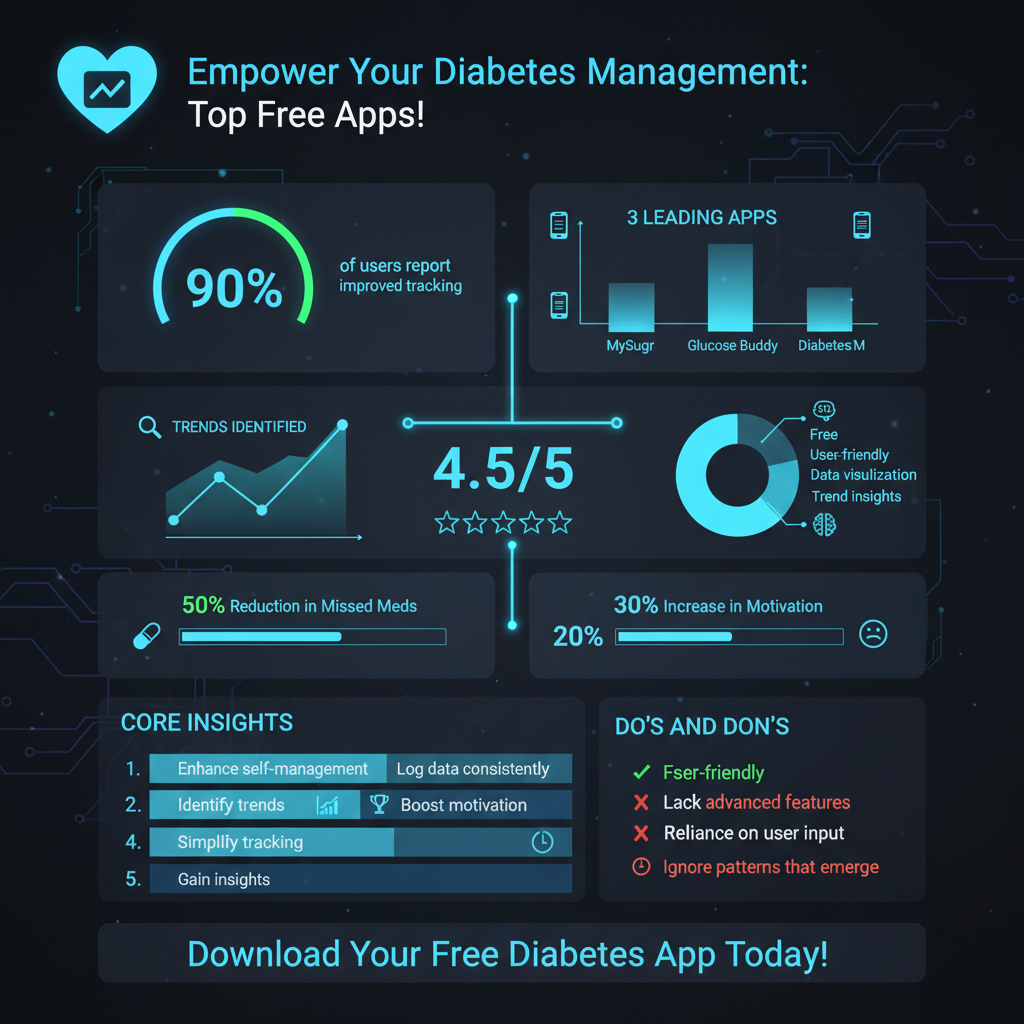

While every diabetes app aims to help with management, certain core features are essential for a truly effective and helpful tool. When exploring free options, prioritize those that offer robust capabilities in these key areas:
* Blood Glucose Logging: This is the cornerstone of any diabetes management app. You’ll want an app that makes logging your blood sugar readings as quick and effortless as possible. Look for features like easy numerical input, options to add context (e.g., “before breakfast,” “2 hours after dinner,” “pre-exercise”), and the ability to include notes for special circumstances. Some apps even offer color-coded indicators to quickly show if readings are in target range, high, or low. Quick and accurate blood glucose logging ensures you have a comprehensive history of your levels, which is vital for both self-analysis and discussions with your healthcare team.
* Medication & Insulin Tracking: For many with diabetes, medication and insulin are daily necessities. A good free app should provide dedicated sections for recording insulin doses (type, units, time) and oral medications (name, dosage, time). Even better are apps that allow you to set customizable reminders, ensuring you never miss a dose. Consistent medication adherence is critical, and an app that acts as your personal medication assistant can significantly improve your treatment plan’s effectiveness and help you avoid unnecessary complications.
* Food & Carb Logging: What you eat profoundly impacts your blood sugar. Effective food and carb logging tools are therefore indispensable. Look for apps that allow you to record your meals, ideally with the ability to estimate carbohydrate content. Some apps offer built-in food databases, barcode scanners, or even the option to manually enter foods and their nutritional information. Accurate carb counting is crucial for insulin dosing and dietary adjustments, making this feature a must-have for precise diabetes management.
* Data Visualization & Reporting: Raw numbers alone can be overwhelming. The best apps transform your logged data into meaningful insights through powerful visualization tools. This includes clear charts and graphs that show trends over days, weeks, or months, helping you see patterns in your blood glucose levels relative to meals, exercise, or medication. Additionally, look for apps that can generate summary reports, often in PDF format, which you can easily share with your doctor or diabetes educator. These reports provide a comprehensive overview of your management, facilitating more productive and informed discussions during your appointments.
Top Pick: MySugr Diabetes Logbook

MySugr stands out as a highly popular and beloved choice, particularly for those new to app-based diabetes management or who appreciate a user-friendly, encouraging approach. Its charm lies in making the daily routine of logging feel less like a chore and more like a game.
* Intuitive Logging & Gamification: What sets MySugr apart is its delightful “gamified” approach. The app features a friendly, cartoon monster mascot that “eats” your blood sugar readings and rewards you with points for consistent logging. This simple yet effective system transforms a mundane task into an engaging challenge, encouraging daily consistency. The interface is remarkably clean and intuitive, designed for quick data entry on the go. You can log blood glucose, meals, medication, insulin, activity, and even your mood with just a few taps, reducing the friction often associated with detailed record-keeping.
* Core Tracking Capabilities: Despite its playful interface, MySugr offers robust free tracking capabilities for all your essential diabetes data. You can easily record blood glucose readings, detailing whether they were taken before or after meals, or at specific times. The app allows for comprehensive logging of various types of insulin (basal, bolus) and other medications. Additionally, you can track your food intake, physical activities, and even add notes to provide context for unusual readings. This core functionality ensures you have a complete digital logbook without any cost.
* Basic Carb Estimation & PDF Reports: For those who count carbohydrates, MySugr includes basic tools for carb estimation, helping you quickly approximate the carb content of your meals. While it may not have an extensive food database in its free version, it’s a helpful starting point. Crucially, the free version also allows for the generation of basic PDF reports. These reports summarize your blood glucose history, insulin usage, and other logged data, making it incredibly easy to share a clear overview of your diabetes management with your healthcare team during appointments. This simple reporting feature can greatly enhance the quality of your doctor-patient discussions.
Top Pick: Glucose Buddy Diabetes Tracker
Glucose Buddy has established itself as a go-to app for those seeking a straightforward, comprehensive platform for tracking multiple aspects of their diabetes and general health. It’s renowned for its holistic approach and clear data presentation.
* Comprehensive Data Tracking: Glucose Buddy excels at providing a broad spectrum of tracking capabilities, helping you maintain a detailed record of not just your diabetes metrics, but also other health indicators. With this app, you can easily log blood glucose levels, medication dosages, and insulin injections. Beyond that, it allows you to track your food intake, A1C levels (which you can manually input from lab tests), weight, and even blood pressure. This extensive logging capability provides a truly holistic view of your health, making it easier to see how different factors might be interacting and affecting your diabetes management.
* Trend Analysis & Insights: One of Glucose Buddy’s strongest features is its ability to turn your raw data into actionable insights through powerful trend analysis. The app generates clear charts and graphs that visualize your health trends over time. You can easily spot patterns in your blood glucose fluctuations related to specific meals, exercise routines, or stress levels. Seeing these trends laid out visually helps both you and your healthcare providers make more informed decisions about your treatment plan. Understanding the “why” behind your numbers is crucial, and Glucose Buddy provides the tools to uncover those correlations effectively.
* Educational Resources: Beyond tracking, Glucose Buddy often integrates valuable educational resources directly within the app. This can include a library of articles, tips, and advice related to various aspects of diabetes management, from nutrition guidance and exercise recommendations to understanding medication and preventing complications. These resources empower users with knowledge, helping them better understand their condition and make healthier lifestyle choices. It’s like having a mini diabetes education center right in your pocket, supplementing your daily tracking with helpful information.
Top Pick: Diabetes:M
Diabetes:M is often heralded as a powerhouse in the free diabetes app landscape, offering a surprisingly advanced set of features that many other apps reserve for their premium versions. It’s particularly favored by those who desire a high degree of control and detailed analysis.
* Advanced Free Features: What sets Diabetes:M apart is its commitment to providing sophisticated tools even without a subscription. In its free version, users gain access to features that significantly enhance management precision. This includes an impressive, large food database for accurate carb counting, a bolus calculator that helps suggest insulin doses based on your blood sugar, carb intake, and personalized insulin-to-carb ratios (though always verify with your doctor), and extensive reporting options. You can generate highly detailed statistical analyses and various types of reports, giving you a deep dive into your data that is typically uncommon for a free app.
* High Customization: Diabetes:M truly shines when it comes to personalization. It understands that diabetes management is not one-size-fits-all, allowing users to tailor logging fields, set up custom insulin types, adjust targets for blood glucose, and even customize report templates to fit their specific needs. Whether you’re managing Type 1, Type 2, or gestational diabetes, you can configure the app to perfectly align with your individual treatment plan and preferences. This level of flexibility ensures the app works for *you*, rather than you having to adapt to the app.
* Device Integration (Limited Free): While more extensive integration is often a premium feature, Diabetes:M does offer some basic device integration possibilities even in its free version. This can include the ability to import data from certain glucose meters or health devices, which can significantly streamline the data entry process and reduce the potential for manual errors. While not every device may be supported in the free tier, the existing integrations can be a huge time-saver and enhance data accuracy for users with compatible equipment, pushing you closer to a fully digital and effortless tracking experience.
Getting the Most Out Of Your Chosen App
Downloading a diabetes app is the first step; actively using it and leveraging its features is where the real magic happens. To truly transform your diabetes management with a free app, consistency and engagement are key.
* Be Consistent with Logging: This is perhaps the most crucial advice. The insights generated by your app are only as good as the data you feed it. Make logging a regular habit, whether it’s after every meal, before and after exercise, or at consistent times throughout the day. Set reminders if necessary, or integrate it into your existing routines. The more consistently you log your blood glucose, meals, medication, and activities, the more accurate and insightful the trends and reports will be. Over time, this consistent data will paint a comprehensive picture of your health, revealing patterns that can guide better decision-making.
* Review Your Data Regularly: Don’t just log and forget! Take a few minutes each day or week to actively look at your charts, graphs, and summary reports. Pay attention to how different factors – like a specific meal, a stressful day, or a change in exercise – impact your blood sugar levels. Are there consistent highs after certain types of food? Do your morning readings tend to be higher? Actively reviewing your data helps you understand the cause-and-effect relationships in your body, allowing you to learn from your past readings and make proactive adjustments to your management plan.
* Share Insights with Your Healthcare Team: Your diabetes app is a powerful communication tool. Utilize its reporting features to generate summaries that you can easily share with your doctor, diabetes educator, or nutritionist during appointments. Instead of relying on memory or scribbled notes, you can present a clear, data-driven picture of your management between visits. This enables your healthcare provider to have a more accurate understanding of your day-to-day control, leading to more informed advice, better treatment adjustments, and a truly collaborative approach to your care. Always remember, the app is a tool to support your care, not replace professional medical advice.
Choosing the best free diabetes app for Android can significantly enhance your daily diabetes management, offering powerful tools to track, analyze, and understand your health. Apps like MySugr, Glucose Buddy, and Diabetes:M provide robust features that can help you stay informed and proactive without incurring any cost. Each offers a unique blend of user-friendliness, comprehensive tracking, and insightful reporting, catering to different preferences and needs. We encourage you to download and try one or more of these highly-rated applications to see which best fits your personal lifestyle and management needs, and always consult your healthcare provider for personalized medical advice to ensure your app usage aligns with your overall treatment plan.
Frequently Asked Questions
Which free diabetes management apps are highly recommended for Android users?
When searching for the **best free diabetes app for Android**, top contenders often include **Glucose Buddy** and **Diabetes:M**. Glucose Buddy is excellent for tracking blood glucose, food, medication, and activities, offering clear logs and trend analysis. Diabetes:M, on the other hand, provides a more comprehensive solution with advanced logging, an insulin calculator, and detailed reports, making it a powerful tool for self-management.
What essential features should I prioritize in a free diabetes app for Android?
To effectively manage your condition, prioritize a **free diabetes app for Android** that offers core functionalities like easy **blood glucose logging**, comprehensive **food and carbohydrate tracking**, and **medication reminders**. Look for apps that also provide data visualization through charts and graphs to identify trends, and ideally, allow for activity logging to understand its impact on your levels. These features are crucial for proactive self-management.
How do free diabetes apps for Android help improve daily diabetes management?
**Free diabetes apps for Android** significantly improve daily management by centralizing all your crucial health data, from blood sugar readings to meal logs and exercise. This organized tracking allows you to identify patterns, understand triggers, and make more informed decisions about your diet, medication, and lifestyle. By providing a clear overview of your progress, these apps empower users to better adhere to their treatment plans and share valuable insights with their healthcare providers.
Are free diabetes apps for Android reliable and safe for logging personal health data?
Many **free diabetes apps for Android** from reputable developers or health organizations are generally reliable and prioritize user data security through encryption and privacy policies. While they are powerful tools for tracking and analysis, it’s essential to remember they are not medical devices and should not replace professional medical advice. Always check app reviews and developer information to ensure you choose a trustworthy option that handles your sensitive health data responsibly.
How can I choose the best free diabetes app for my personal needs on an Android device?
To select the **best free diabetes app for your Android device**, consider your specific needs and daily routine. If you primarily need to log blood glucose, a simpler app might suffice, but if you require detailed carb counting, medication tracking, and trend analysis, opt for a more feature-rich solution. Evaluate the user interface for ease of use, check if it integrates with other health apps or devices (even if basic in free versions), and read reviews to gauge other users’ experiences regarding reliability and functionality.
References
- https://diabetes.org/tools-resources/mobile-apps
- https://www.cdc.gov/diabetes/data/mhealth-resources/index.html
- https://pubmed.ncbi.nlm.nih.gov/34212975/
- https://pubmed.ncbi.nlm.nih.gov/31383568/
- https://www.health.harvard.edu/blog/apps-for-diabetes-2018090514652
- https://www.ucsfhealth.org/education/apps-for-diabetes
- https://www.bbc.com/news/uk-wales-45371239
