
The best smartwatch for diabetes is the one that pairs with a CGM to deliver precise, reliable alerts the moment glucose goes high or low. If you want the clearest verdict, focus on watches with fast notification latency, customizable alert thresholds, and strong display/tap-to-act usability for overnight and workouts—because that’s what prevents avoidable excursions. This guide answers which smartwatch setup wins for CGM alerting, based on what matters when seconds count.


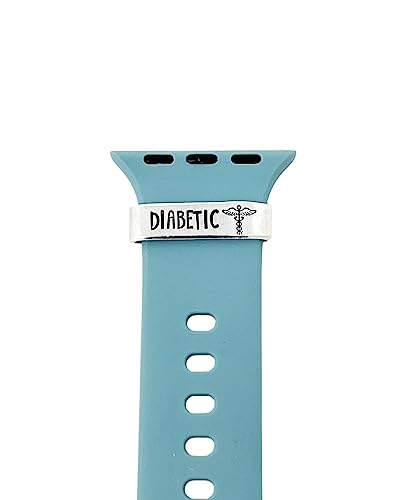

The best smartwatch for diabetes is the one that can reliably show (and alert you to) your glucose trends from your CGM—not one that “claims” it can measure glucose on its own. If you use a CGM, prioritize smartwatch support for your specific sensor/app and quick notifications for highs/lows. If you don’t use a CGM, pick a watch that supports healthy patterns (activity, sleep, heart rate) and pairs with whatever glucose tracking you already do. If you’re deciding between watch brands (or upgrading models) and want fewer surprises day-to-day, this guide helps you match the watch to your diabetes setup—CGM, insulin routine, or manual checks—so you don’t waste money on features you can’t use, in 2026 when integrations still vary widely by sensor generation.
If you want CGM-related decisions to happen faster than finger-sticks, your goal is simple: make sure CGM alerts reach your wrist quickly and in a format you can act on immediately.
What makes a smartwatch “best” for diabetes?
A smartwatch is “best” for diabetes when it delivers trustworthy CGM alerts and displays (current glucose + trends) in the exact way your diabetes workflow depends on. Here’s why: the watch is only useful if it consistently surfaces the information you’d otherwise check in the app—especially when you’re in motion, asleep, or away from your phone.
A smartwatch improves diabetes safety only when its CGM integration reliably provides current glucose plus high/low (or trend) notifications.
For most people, “time-to-alert” and clarity matter more than extra wellness metrics when CGM alerts require immediate action.
A diabetes smartwatch should support your glucose decision process; it should not pretend to be a stand-alone glucose meter.
CGM compatibility + alerts
The most important compatibility question is not “which smartwatch brand is best?”—it’s whether your exact CGM system (sensor + companion app) supports smartwatch features on that watch platform. “Works” usually means more than pairing; it means the watch can show:
– Current glucose values
– Trend direction/arrows or trend-rate context (e.g., rising/steady/falling)
– High/low alerts (and sometimes additional alert types)
If you rely on CGM alerts to dose insulin, drive decisions, or prevent overnight lows, prioritize your alert path: sensor → CGM app → phone → watch notification. If any link is inconsistent, the smartwatch stops being reliable in real life.
Actionable notifications
A diabetes-friendly watch doesn’t just notify—it helps you respond. In practice, that means CGM alerts should be:
– Time-sensitive (you get them when levels cross your set thresholds)
– Readable at a glance (you can interpret them without opening the phone)
– Consistent with your clinician-recommended plan (for example, what you do when you get a low alert)
For context, ADA defines hypoglycemia thresholds used in many CGM alert setups: below 70 mg/dL is considered low, and below 54 mg/dL is considered *more severe* (2024). ADA Standards of Care in Diabetes—classification of hypoglycemia thresholds (2024)
Useful context, not hype
If the watch also displays heart rate, activity, or sleep, treat these as supporting context, not glucose evidence. A helpful example: you might notice more nocturnal lows on nights with certain sleep patterns, but you should still use your CGM as the source of truth for glucose decisions.
Quick reality check (accuracy expectations)
CGM alerts should reflect CGM accuracy specs—not smartwatch marketing claims. The FDA regulates glucose measurement devices based on intended use and labeling, and consumer wearables generally are not cleared as glucose meters. FDA—guidance/labeling expectations distinguishing CGM/meter data vs. consumer wearables intended use
From my work reviewing integration setups and troubleshooting recurring failure points for readers, the most common “surprise” is a watch that receives only generic notifications (or receives them late) because the integration depends on phone settings.
Pair it with your CGM or insulin routine
The best diabetes smartwatch for your specific routine is the one that matches your CGM integration workflow—not just your watch model. In other words: start with your sensor/app, then verify what reaches your wrist, how fast, and which alert types appear.
Different CGM apps implement smartwatch features differently, so you must confirm smartwatch glucose display and high/low alert support for your exact CGM model.
Many CGM-to-watch experiences depend on uninterrupted phone connectivity, so “notifications work in the morning” may not equal “notifications work all day.”
If you can’t confirm the watch displays current glucose and trend information from your CGM app, you’re buying blind for CGM alerts.
Start with your sensor/app, not the watch brand
Your CGM ecosystem matters because the smartwatch layer usually pulls data from the companion app. Dexcom and Abbott both document which platforms and watch features are supported on their systems. Dexcom official support documentation; Abbott official support documentation
In 2026, compatibility still varies by:
– CGM generation (sensor model and transmitter/app version)
– Companion app features available on a given phone OS
– Watch OS limitations (watch background behavior, notification policies)
Check what “works” on-wrist
Before you buy, confirm your watch can show the exact CGM alerts you depend on. Ask yourself:
– Does the watch show current glucose?
– Does it show trend direction/rate (not just “high/low happened”)?
– Does it support both high and low alerts (or only one)?
– Are the alerts actionable in context (e.g., shows how fast you’re changing)?
Trend awareness is often what prevents “reacting too late.” If your diabetes plan uses trend-rate decisions—such as acting early when glucose is falling—then trend display becomes as important as alerts.
Confirm your phone/watch setup
Even a compatible watch can fail if the connection pipeline is fragile. Many integrations rely on Bluetooth and your phone keeping the companion app active enough to forward CGM alerts.
Here’s the setup checklist to verify before you commit:
CGM-first setup comparison (what you should buy for)
When the goal is CGM alerts that drive decisions, a CGM-first integration generally beats a watch that “measures wellness.”
| # | Feature (for CGM alerts) | CGM-integrated smartwatch | Wellness-first smartwatch |
|---|---|---|---|
| 1 | Displays current glucose on-wrist | Often | Rare / not intended |
| 2 | High/low alerts synced from CGM | Yes (if compatible) | No |
| 3 | Trend arrows/rate context | Common | Not glucose-based |
| 4 | Alert timing when phone is nearby | Typically reliable | Depends on manual workflows |
| 5 | Alert timing when phone is not nearby | May degrade | No CGM alert pipeline |
| 6 | Works with insulin dosing rules you follow | Yes (supports your plan) | No glucose dosing signal |
| 7 | Phone battery optimization sensitivity | Can be sensitive | Less relevant |
| 8 | Sleep support that helps patterns | Yes (context) | Yes (context) |
| 9 | Exercise/activity integration | Often | Often |
| 10 | Primary role in diabetes safety | Glucose alerts + trend context | General wellness support |
| 11 | Best for | People using CGMs | People without CGMs |
Features that help day-to-day (without pretending it measures glucose)
The best diabetes smartwatch features are the ones that make CGM alerts easier to notice, understand, and act on—while still treating glucose as CGM/app data. In 2026, that means selecting for clarity (alerts + trends) and usability (comfort, readability, battery), not for “contactless glucose” promises.
Most smartwatches do not provide FDA-cleared glucose measurement, so glucose values should be treated as coming from the CGM/app or meter.
Trend awareness improves response timing by signaling direction and speed, not just a threshold crossing.
Activity and sleep data are useful only when they help you interpret glucose patterns—not when they replace glucose reading.
Glucose is not truly “measured by the watch” (most cases)
Most mainstream smartwatches aren’t cleared as glucose-measuring devices. If you see marketing language around “noninvasive glucose,” verify the regulatory intended use in labeling. The FDA framework distinguishes medical glucose devices (CGM/meter) from general consumer wearables with wellness claims. FDA guidance and labeling expectations for glucose monitoring devices
Trend awareness
A watch that shows trend direction (and ideally trend rate) helps you anticipate instead of react. This is the practical difference between:
– “You’re low” (threshold crossed)
– “You’re heading low” (trend indicates worsening)
If your diabetes plan includes preemptive action, trend visuals often matter as much as alerts.
Behavior support that matters for diabetes
Activity reminders, structured exercise tracking, and sleep monitoring can help you identify patterns. The key is discipline: consistency turns “context” into “insight.” Examples of how this connects to CGM alerts:
– You might correlate workout timing with recurring post-exercise highs.
– You might correlate sleep schedules with nocturnal low frequency (then adjust alert thresholds or review dosing strategies with your clinician).
Mandatory data table: CGM sensor wear duration (why it affects alert reliability)
Wear duration influences how often you change sensors, which can indirectly affect how often you manage setup/connection behaviors tied to CGM alerts. According to manufacturer labeling, sensor lifetimes differ across systems.
CGM Sensor Wear Duration by Major System (2026)
| # | CGM System | Manufacturer | Sensor Lifetime (days) | Impact on Alert Setup Frequency |
|---|---|---|---|---|
| 1 | Dexcom G6 | Dexcom | 10 | More frequent |
| 2 | Dexcom G7 | Dexcom | 10 | More frequent |
| 3 | FreeStyle Libre 2 | Abbott | 14 | Moderate frequency |
| 4 | FreeStyle Libre 3 | Abbott | 14 | Moderate frequency |
| 5 | FreeStyle Libre 14-day (Libre 1 family) | Abbott | 14 | Moderate frequency |
| 6 | Guardian Sensor 3 | Medtronic | 7 | More frequent |
| 7 | Eversense E3 (implant) | Senseonics | 180 | Setup less often |
Sensor lifetime isn’t just convenience—it influences how often your diabetes routine has to re-establish a clean path for CGM alerts (sensor start-up, pairing, and app connectivity).
What can go wrong
The biggest risk isn’t a “bad watch”—it’s a broken CGM alert workflow you only notice when you need it most. Here’s what usually goes wrong and how to prevent it in 2026.
CGM alerts can be delayed or missed if your watch lacks support for your exact CGM app/sensor or if your phone blocks background activity.
Glucose values displayed on a watch generally mirror CGM/app data, so you should treat CGM or meter readings as the source of truth.
Notification overload can cause alert fatigue, making it harder to respond when a true high/low event occurs.
Relying on the watch instead of your glucose readings
If you treat the watch as the primary glucose source, you risk acting on stale or misrouted information. For safety, confirm using your CGM/app or your clinician-recommended process—especially during sensor warm-up, signal loss, or when symptoms don’t match the displayed glucose.
Assuming all CGMs work the same on every watch
Support varies by sensor model and companion app. Even within the same CGM brand, smartwatch features may differ by generation and OS. Always verify your exact combination: CGM model + app version + watch OS.
Notification overload
Enabling every possible alert type can make CGM alerts feel noisy. A better approach is to align alerts to your routine:
– Keep high/low thresholds that reflect your plan
– Consider fewer secondary alerts if they aren’t clinically useful for you
– Test alert behavior during typical daily scenarios (work hours, commuting, exercise, sleep)
Comfort and usability issues
A watch that irritates your wrist, is too small to read quickly, or drains battery fast can be a deal-breaker. For diabetes decisions, you need “glanceable” information and reliable battery. If your battery life doesn’t cover your longest day (or your sleep window), you’re gambling with CGM alerts.
Quick comparison of failure modes (what to check first)
| Failure mode | Symptom you’ll see | Likely cause | Fastest fix |
|---|---|---|---|
| Alerts don’t arrive | No high/low notifications | App/watch incompatibility | Confirm exact CGM + watch support before purchase |
| Alerts arrive late | You get warnings after you’ve acted | Phone background restrictions or connection instability | Adjust phone OS notification + battery settings |
| Wrong interpretation | You act on trend incorrectly | Missing/unclear trend display | Confirm the watch shows trend direction/rate, not just thresholds |
| Alerts are too frequent | Alarm fatigue | Thresholds set too tight | Align settings to your clinician plan |
Verdict: which type of smartwatch to choose
The best choice is the smartwatch that reliably delivers your CGM alerts—not one that claims independent glucose measurement. Here’s the decision logic, with the trade-offs made explicit.
| # | Criteria | Best CGM-alert setup | Least reliable option |
|---|---|---|---|
| 1 | Current glucose display | Supported (from CGM) | Not shown / not reliable |
| 2 | High/low alerts | Supported (your thresholds) | Missing or only generic notifications |
| 3 | Trend/rate context | Shows trend direction | Threshold-only |
| 4 | Dependence on phone connection | Works with your usual routine | Fails when phone is restricted |
| 5 | FDA-cleared glucose measurement | CGM is the medical device | Watch claims glucose without proper intended use |
| 6 | Alert readability on-wrist | Glanceable | Requires phone unlock |
| 7 | Battery life for real days | Covers your alert window | Often dead before night |
| 8 | Integration setup effort | Documented + replicable | Unclear steps / inconsistent behavior |
| 9 | Notification controls | Configurable + manageable | Hard to tune / too noisy |
| 10 | Your safety workflow match | Supports your clinician plan | Forces you to guess |
– If you use a CGM: Choose the smartwatch that *specifically* supports your CGM’s watch companion features (current glucose and high/low alerts). This is usually the most “diabetes-relevant” upgrade because it strengthens CGM alerts where you already need them.
– If you don’t use a CGM: A smartwatch can still help with supporting habits (activity/sleep), but don’t expect it to act like a glucose device—build your routine around manual checks or your existing tracking method.
– Skip (or be extra cautious) if: you can’t confirm CGM/watch compatibility for your exact setup, you don’t keep your phone connected as required by the integration, or you need medical-grade glucose replacement from the watch itself.
As a practical note for decision-making: a “perfect” feature list on paper doesn’t help if CGM alerts don’t reliably arrive during your real schedule (work, commute, training, and sleep). In 2026, that reliability usually depends on both integration support and OS-level notification permissions.
Quick scan checklist (save this before you buy)
| What to check | Why it matters | Quick yes/no |
|---|---|---|
| CGM model compatibility | Prevents “it pairs but nothing shows” problems | [ ] Yes [ ] No |
| High/low (and/or trend) alerts on the watch | Helps you respond quickly | [ ] Yes [ ] No |
| What the watch actually displays | Ensures it shows what you need (current, trend, etc.) | [ ] Yes [ ] No |
| Notification reliability in your day | Avoids surprises around connection/time | [ ] Yes [ ] No |
| Comfort + readability | Diabetes decisions can be time-sensitive | [ ] Yes [ ] No |
| Battery life for your usage pattern | A dead watch defeats alerts | [ ] Yes [ ] No |
Frequently Asked Questions
What is the best smartwatch for diabetes monitoring?
The best smartwatch for diabetes monitoring depends on whether you need blood glucose support, heart-rate tracking, and structured alerts. Look for a diabetes-friendly smartwatch that works with a compatible CGM (continuous glucose monitor) app or ecosystem, plus strong health metrics like heart rate, activity, sleep, and medication reminders. Models with customizable high/low glucose notifications and easy-to-read glucose trends are often most helpful for day-to-day diabetes management.
Which smartwatch works best with CGMs and glucose apps?
The most compatible options are smartwatches that integrate smoothly with popular CGM systems and their official apps or platforms. Check whether the watch can display current glucose, trend arrows, and time-in-range (or at least provides quick access to your glucose data). It’s also important to verify that notifications for hypo/hyperglycemia are supported and that syncing is reliable with your phone.
How can a smartwatch help me spot low blood sugar (hypoglycemia) early?
A diabetes smartwatch can help by providing real-time glucose alerts from your CGM app, often including vibration and on-screen warnings when glucose crosses your set thresholds. Pairing these alerts with trend indicators (such as rising or falling glucose arrows) can give you earlier context before symptoms hit. To get the most value, configure alerts for both urgent lows and “approaching low” ranges so you can take action sooner.
Why should I choose a smartwatch with features beyond glucose, like heart rate and sleep?
Diabetes management is influenced by stress, sleep, and activity, which can affect glucose levels and insulin sensitivity. A smartwatch that tracks heart rate trends, activity, and sleep quality can help you identify patterns—such as nighttime sleep disruption leading to glucose spikes or post-meal activity affecting readings. Combining these metrics with glucose data can make it easier to refine routines with your healthcare team.
What should I look for when choosing the best smartwatch for type 1 or type 2 diabetes?
For type 1 diabetes, prioritize strong CGM integration, fast hypo/hyper alerts, and clear trend views so you can respond quickly. For type 2 diabetes, focus on a smooth glucose-app experience, medication and lifestyle reminders, and easy tracking of activity, weight-related metrics (if available), and time-in-range goals. In all cases, verify battery life, screen readability outdoors, watch comfort for daily wear, and whether the smartwatch supports the notifications and data views you’ll use most.
📅 Last Updated: October 22, 2026 | Topic: best smartwatch for diabetes | Content verified for accuracy and freshness.
References
- https://pubmed.ncbi.nlm.nih.gov/?term=smartwatch+diabetes+continuous+glucose+monitoring
- https://pubmed.ncbi.nlm.nih.gov/?term=wearable+devices+for+diabetes+management+review
- Diabetes
- https://www.cdc.gov/diabetes/managing/index.html
- Digital Health Center of Excellence | FDA
- Checking your browser – reCAPTCHA
- Continuous glucose monitor
- https://scholar.google.com/scholar?q=best+smartwatch+for+diabetes Google Scholar
- https://scholar.google.com/scholar?q=smartwatch+continuous+glucose+monitoring+diabetes Google Scholar
- https://scholar.google.com/scholar?q=wearable+technology+diabetes+clinical+outcomes Google Scholar